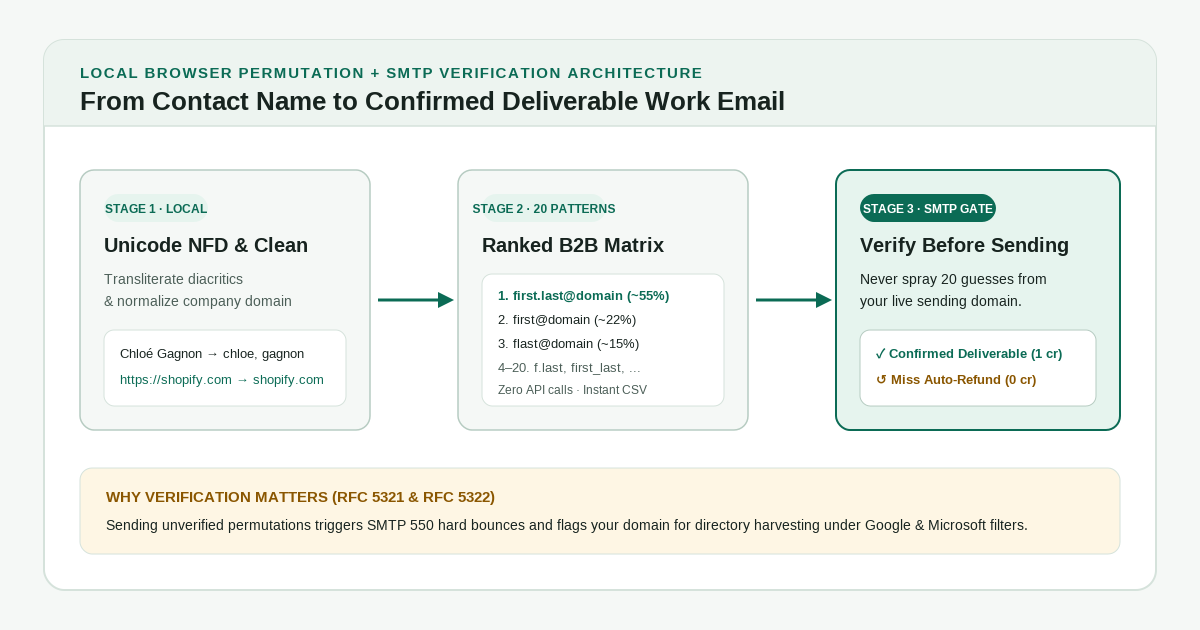
How Corporate Email Naming Conventions Actually Work in B2B Organizations
Every company running Google Workspace, Microsoft 365, or an enterprise Active Directory tenant provisions employee email addresses using deterministic identity templates. When an outbound sales representative, executive recruiter, or founder researches a prospect whose email is not published on a public page, understanding these naming conventions narrows an infinite search space down to a compact set of 20 candidate patterns.
In practice, company size strongly predicts which pattern dominates. Seed and Series-A startups under 80 employees overwhelmingly favor first@domain.com because founders configure short, memorable addresses before name collisions occur. Once an organization grows past 150 employees, IT administrators migrate default provisioning to first.last@domain.com (such as Shopify) or flast@domain.com (such as HubSpot). Legacy enterprises and regulated financial institutions sometimes reverse the order to last.first@domain.com or insert middle initials when identical names collide.
Why You Should Never Spray All 20 Permutations From Your Primary Domain
A common cold-email mistake is copying 10 or 20 permutations into a sequencing tool and blasting all of them hoping one lands. Modern spam filters—especially Google Workspace Postmaster and Microsoft Defender for Office 365—track bounce ratios tightly. Sending even 15 hard bounces in a single afternoon flags your sending domain for directory-harvesting behavior and pushes subsequent valid messages straight to spam.
Instead, use this permutator as an inspection step alongside two zero-risk habits: first, confirm the target domain actually accepts mail and inspect its gateway with our free Live MX, SPF & DMARC Checker; second, run live verification via FindWorkEmails so only the confirmed deliverable address enters your outreach sequence. If a prospect has left the company or the mailbox cannot be verified, FindWorkEmails refunds your credit automatically.
Handling Accents, Hyphens, and Compound Surnames
International B2B directories introduce subtle edge cases. Accented Latin characters (like é, ñ, ü, or ç) are almost universally transliterated to plain ASCII equivalents during mailbox creation, which our permutator handles automatically via Unicode NFD normalization. Hyphenated surnames (such as Smith-Jones) may either keep the hyphen or concatenate into smithjones depending on the company’s identity provider rules.
Need to clean an existing spreadsheet before verifying? Try our free Disposable & Role Email Cleaner or compare our pay-as-you-go credit packs on the Pricing page.